


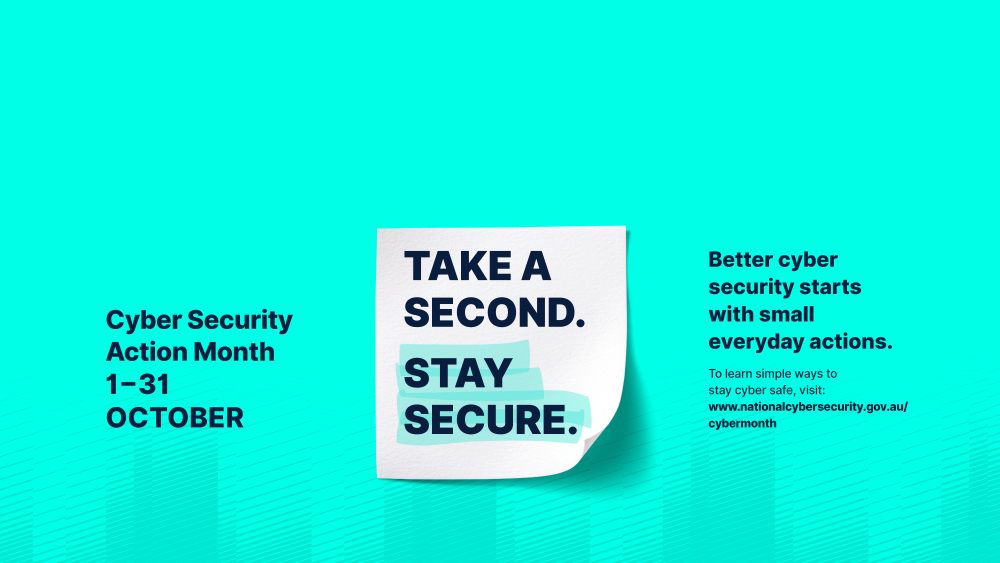
October is Cyber Security Action Month, and this year’s theme reminds us that cyber security often comes down to small decisions made every day.
Whether you’re checking emails, shopping online or managing your finances, taking a second to stop and think can help protect your information and your money.
What does “Take a second. Stay secure.” mean?
Visit the Australian Government National Office of Syber Security website to learn what this year’s theme really means.
How We Help Protect You
At Summerland Bank, protecting members is a responsibility we take seriously.
We continuously monitor and improve our security measures to help safeguard your accounts and personal information.
Our teams work behind the scenes to identify risks, monitor potential fraud and support members when suspicious activity occurs.
Security isn’t just about technology. It’s about helping our members feel confident and informed every time they bank.
8 Ways to Stay Secure
- Apply updates. Take a second to install updates. Updates often include important security fixes that help protect your devices.
- Back up regularly. Take a second to back up your important information. Regular backups can help you recover quickly if something goes wrong.
- Turn on Multi-Factor Authentication. Take a second to enable MFA. An extra layer of protection for your online accounts.
- Recognise scams. Take a second before you click. Unexpected links, urgent requests and unusual messages may be scams.
- Use strong passphrases. Take a second to strengthen your passwords. Long, unique passphrases are harder for criminals to guess.
- Know the threats.Take a second to stay informed. Understanding current scams and cyber threats helps you recognise red flags.
- Review privacy settings. Take a second to check who can see your information. Privacy settings help you stay in control of your online presence.
- Think before you post. Take a second before posting online. The less personal information available publicly, the better protected you are.
How Cyber Healthy Are You?
Not sure where to start?
The Australian Government’s National Office of Cyber Security’s Cyber Health Check is a free online tool that provides a quick assessment of your current cyber security habits. You can check the cyber security for yourself, or for a small business or not-for-profit organisation. The assessment takes less than 5 minutes and asks simple questions about how you manage your cyber security. It is completely anonymous and free.
Take a second. Stay secure.
At Summerland Bank, protecting our members is part of who we are. While we continually invest in systems and security measures to help keep banking safe, small actions from all of us can make a big difference.
The strongest protection comes when secure banking and secure behaviour work together. This Cyber Security Action Month, take a second to identify one new habit you can adopt and help make your online world a little safer.
This content is informed by resources from the Australian Government’s National Office of Cyber Security website. For more information and resources on protecting yourself from scams, visit https://www.nocs.gov.au/. Regional Australia Bank Ltd trading as Summerland Bank ABN 21 087 650 360 AFSL & Australian Credit Licence 241167 .